Vitaly
Administrators
-
Joined
-
Last visited
Everything posted by Vitaly
-
DashCast — BYD Cluster Launcher & MirrorAndroid application for BYD vehicles with DiLink 3.0 (Android 10) to push any installed app onto the instrument cluster display, control it via a real-time touch mirror, and diagnose BYD APIs. Links:Documentation: https://kiroha.github.io/byd-dashcast/ Github: https://github.com/Kiroha/byd-dashcast Apk's:Version Link v1.3.23-beta Details v1.3.22-beta Details v1.3.21-beta Details v1.3.20-beta Details v1.3.19-beta Details v1.3.18-beta Details v1.3.17-beta Details v1.3.16-beta Details v1.3.15-beta Details v1.3.14-beta Details v1.3.13-beta Details v1.3.12-beta Details v1.3.11-beta Details v1.3.10-beta Details v1.3.9-beta Details v1.3.8-beta Details v1.3.7-beta Details v1.3.6-beta Details v1.3.5-beta Details v1.3.4 Details v1.3.3 Details v1.3.3-beta Details v1.3.2 Details v1.3.1 Details v1.3.0 Details v1.2.82-beta Details v1.2.81-beta Details v1.2.80-beta Details v1.2.79-beta Details v1.2.78-beta Details v1.2.77-beta Details v1.2.76-beta Details v1.2.75-beta Details v1.2.74-beta Details v1.2.73-beta Details v1.2.72-beta Details v1.2.71-beta Details v1.2.70-beta Details v1.2.69-beta Details v1.2.68-beta Details v1.2.67-beta Details v1.2.66-beta Details v1.2.65-beta Details v1.2.64-beta Details v1.2.63-beta Details v1.2.62-beta Details v1.2.61-beta Details v1.2.60-beta Details v1.2.58-beta-phase-A-step1 Details v1.2.57-beta Details v1.2.56-beta Details v1.2.55-beta Details v1.2.54-beta Details v1.2.51-beta Details v1.2.49-beta Details v1.2.48-beta Details v1.2.47-beta Details v1.2.46-beta Details v1.2.45-beta Details v1.2.44-beta Details v1.2.43-beta Details v1.2.42-beta Details v1.2.40-beta Details v1.2.39-beta Details v1.2.38-beta Details v1.2.37-beta Details v1.2.36-beta Details v1.2.35-beta Details v1.2.34-beta Details v1.2.33-beta Details v1.2.32-beta Details v1.2.31-beta Details v1.2.28 Details v1.2.27 Details v1.2.26 Details v1.2.25 Details v1.2.24 Details v1.2.23 Details v1.2.22 Details v1.2.21 Details v1.2.20 Details v1.2.19 Details v1.2.18 Details v1.2.17 Details v1.2.16 Details v1.2.15 Details v1.2.14 Details v1.2.13 Details v1.2.12 Details v1.2.11 Details v1.2.10 Details v1.2.9 Details v1.2.8 Details v1.2.7 Details v1.2.6 Details v1.2.5 Details v1.2.4 Details v1.2.3 Details v1.2.2 Details v1.2.1 Details v1.2.0-build186 Details v1.2.0-build185 Details v1.2.0-build184 Details v1.2.0-build183 Details v1.2.0-build182 Details v1.1.9-build180 Details v1.1.9-build179 Details v1.1.9-build178 Details v1.1.9-build177 Details v1.1.9-build176 Details v1.1.9-build175 Details v1.1.9-build174 Details v1.1.9-build173 Details v1.1.9-build172 Details v1.1.9-build171 Details v1.1.9-build170 Details v1.1.9-build169 Details v1.1.8 Details v1.1.7 Details v1.1.6 Details v1.1.5 Details v1.1.4 Details v1.1.3 Details v1.1.2 Details v1.1.1 Details v1.1.0-beta1 Details v1.0.1 Details v1.0.0 Details v0.9.94 Details v0.9.0 Details v0.8.7 Details v0.8.6 Details v0.8.5 Details v0.8.2 Details v0.8.1 Details v0.8.0 Details v0.6.8-beta Details 0.5.1 Details v0.5.0-beta Details v0.2.1 Details v0.2.0-beta Details
-
Firmware update 18.1.2.2601230.1_0Firmware version18.1.2.2601230.1_0ModelsBYD Song PlusBYD Yuan UpBYD Song ProUpdate contentUnknownChipset18 chipsetRegionChinese firmwareDetailsDi3.0_18.1.2.2601230.1_0 🇷🇺 Китайская прошивка на 18 чипсет. 🇺🇸 Chinese firmware for 18 chipset. 🇺🇿 18-chipset uchun xitoy proshivka LinksLink 1Link 2
-
Firmware update 18.1.2.2601230.1_0Firmware version18.1.2.2601230.1_0ModelsBYD Song PlusBYD Yuan UpBYD Song ProUpdate contentUnknownChipset18 chipsetRegionChinese firmwareDetailsDi3.0_18.1.2.2601230.1_0 🇷🇺 Китайская прошивка на 18 чипсет. 🇺🇸 Chinese firmware for 18 chipset. 🇺🇿 18-chipset uchun xitoy proshivka LinksLink 1Link 2
-
Firmware update 18.1.2.2601230.1_0Firmware version18.1.2.2601230.1_0ModelsBYD Song PlusBYD Yuan UpBYD Song ProUpdate contentUnknownChipset18 chipsetRegionChinese firmwareDetailsDi3.0_18.1.2.2601230.1_0 🇷🇺 Китайская прошивка на 18 чипсет. 🇺🇸 Chinese firmware for 18 chipset. 🇺🇿 18-chipset uchun xitoy proshivka LinksLink 1Link 2
-
BYD Song Plus Popular compact crossover available in PHEV and BEV variants, offering practical space, modern technology, and BYD's proven Blade Battery. ℹ️ About this model🏭 SeriesDynasty🚗 BodyCrossover🔌 PowertrainPHEV / BEV⚙️ DriveFWD📅 Year2021🔋 Battery18.3 kWh, 71.8 kWh🛣️ Range110 km WLTC (PHEV), 520 km CLTC (BEV)⚡ Engine1.5L Naturally Aspirated + Electric Motor (DM-i) / Permanent Magnet Synchronous (EV)Firmwares:FirmwareAddedOpen13.1.32.2510230_12026-05-18Details13.1.32.26022302026-05-18Details13.1.33.2602030_12026-05-18Details18.1.2.2601230.1_02026-05-08Details18.1.2.2603290.1_02026-05-18Details
-
Firmware update 23.1.82.2602236.1_0Firmware version23.1.82.2602236.1_0ModelsBYD Sealion 07BYD Frigate 07Update contentДанное обновление в первую очередь добавляет новые функции и улучшения, включая систему видеорегистратора с пятью камерами и новую функцию загрузки тревожных видеозаписей в режиме Sentry. Основные изменения: 1. Поддержка видеорегистратора с пятью ракурсами 2. В режиме Sentry добавлена функция загрузки тревожных видеозаписей 3. Автоматическое включение 360°-обзора при поворотах на скорости ниже 15 км/ч 4. В пользовательские настройки кнопок добавлена функция Parking Assist 5. Оптимизировано пробуждение системы при парковке This update mainly introduces several new features and improvements, including a five-view dashcam system and a new risk video upload function for Sentry Mode. Key features: 1. Five-view dashcam support 2. Sentry Mode now supports uploading risk event videos 3. Automatic activation of the 360° camera view when turning at speeds below 15 km/h 4. Added Parking Assist to customizable button settings 5. Improved parking wake-up sensitivity managementChipset23 chipsetRegionChinese firmwareDetails🇷🇺 Китайская прошивка на 23 чипсет. 🇺🇸 Chinese firmware for 23 chipset. 🇺🇿 23-chipset uchun xitoy proshivka LinksLink 1Link 2
-
BYD Sealion 07 Firmwares:23.1.82.2602236.1_0
-
Firmware update 23.1.82.2602236.1_0Firmware version23.1.82.2602236.1_0ModelsBYD Sealion 07BYD Frigate 07Update contentДанное обновление в первую очередь добавляет новые функции и улучшения, включая систему видеорегистратора с пятью камерами и новую функцию загрузки тревожных видеозаписей в режиме Sentry. Основные изменения: 1. Поддержка видеорегистратора с пятью ракурсами 2. В режиме Sentry добавлена функция загрузки тревожных видеозаписей 3. Автоматическое включение 360°-обзора при поворотах на скорости ниже 15 км/ч 4. В пользовательские настройки кнопок добавлена функция Parking Assist 5. Оптимизировано пробуждение системы при парковке This update mainly introduces several new features and improvements, including a five-view dashcam system and a new risk video upload function for Sentry Mode. Key features: 1. Five-view dashcam support 2. Sentry Mode now supports uploading risk event videos 3. Automatic activation of the 360° camera view when turning at speeds below 15 km/h 4. Added Parking Assist to customizable button settings 5. Improved parking wake-up sensitivity managementChipset23 chipsetRegionChinese firmwareDetails🇷🇺 Китайская прошивка на 23 чипсет. 🇺🇸 Chinese firmware for 23 chipset. 🇺🇿 23-chipset uchun xitoy proshivka LinksLink 1Link 2
-
Firmware update 23.1.81.2602236.1_0Firmware version23.1.81.2602236.1_0ModelsBYD Seal 06BYD Seal 06 GTBYD Seal 06 Travel editionBYD Seal 07BYD SealUpdate contentДанное обновление в первую очередь добавляет новые функции и улучшения, включая систему видеорегистратора с пятью камерами и новую функцию загрузки тревожных видеозаписей в режиме Sentry. Основные изменения: 1. Поддержка видеорегистратора с пятью ракурсами 2. В режиме Sentry добавлена функция загрузки тревожных видеозаписей 3. Автоматическое включение 360°-обзора при поворотах на скорости ниже 15 км/ч 4. В пользовательские настройки кнопок добавлена функция Parking Assist 5. Оптимизировано пробуждение системы при парковке This update mainly introduces several new features and improvements, including a five-view dashcam system and a new risk video upload function for Sentry Mode. Key features: 1. Five-view dashcam support 2. Sentry Mode now supports uploading risk event videos 3. Automatic activation of the 360° camera view when turning at speeds below 15 km/h 4. Added Parking Assist to customizable button settings 5. Improved parking wake-up sensitivity managementChipset23 chipsetRegionChinese firmwareDetails🇷🇺 Китайская прошивка на 23 чипсет. 🇺🇸 Chinese firmware for 23 chipset. 🇺🇿 23-chipset uchun xitoy proshivka LinksLink 1Link 2
-
Firmware update 23.1.81.2602236.1_0Firmware version23.1.81.2602236.1_0ModelsBYD Seal 06BYD Seal 06 GTBYD Seal 06 Travel editionBYD Seal 07BYD SealUpdate contentДанное обновление в первую очередь добавляет новые функции и улучшения, включая систему видеорегистратора с пятью камерами и новую функцию загрузки тревожных видеозаписей в режиме Sentry. Основные изменения: 1. Поддержка видеорегистратора с пятью ракурсами 2. В режиме Sentry добавлена функция загрузки тревожных видеозаписей 3. Автоматическое включение 360°-обзора при поворотах на скорости ниже 15 км/ч 4. В пользовательские настройки кнопок добавлена функция Parking Assist 5. Оптимизировано пробуждение системы при парковке This update mainly introduces several new features and improvements, including a five-view dashcam system and a new risk video upload function for Sentry Mode. Key features: 1. Five-view dashcam support 2. Sentry Mode now supports uploading risk event videos 3. Automatic activation of the 360° camera view when turning at speeds below 15 km/h 4. Added Parking Assist to customizable button settings 5. Improved parking wake-up sensitivity managementChipset23 chipsetRegionChinese firmwareDetails🇷🇺 Китайская прошивка на 23 чипсет. 🇺🇸 Chinese firmware for 23 chipset. 🇺🇿 23-chipset uchun xitoy proshivka LinksLink 1Link 2
-
-
BYD Seal 06 Travel edition Firmwares:23.1.81.2602236.1_0
-
Firmware update 23.1.81.2602236.1_0Firmware version23.1.81.2602236.1_0ModelsBYD Seal 06BYD Seal 06 GTBYD Seal 06 Travel editionBYD Seal 07BYD SealUpdate contentДанное обновление в первую очередь добавляет новые функции и улучшения, включая систему видеорегистратора с пятью камерами и новую функцию загрузки тревожных видеозаписей в режиме Sentry. Основные изменения: 1. Поддержка видеорегистратора с пятью ракурсами 2. В режиме Sentry добавлена функция загрузки тревожных видеозаписей 3. Автоматическое включение 360°-обзора при поворотах на скорости ниже 15 км/ч 4. В пользовательские настройки кнопок добавлена функция Parking Assist 5. Оптимизировано пробуждение системы при парковке This update mainly introduces several new features and improvements, including a five-view dashcam system and a new risk video upload function for Sentry Mode. Key features: 1. Five-view dashcam support 2. Sentry Mode now supports uploading risk event videos 3. Automatic activation of the 360° camera view when turning at speeds below 15 km/h 4. Added Parking Assist to customizable button settings 5. Improved parking wake-up sensitivity managementChipset23 chipsetRegionChinese firmwareDetails🇷🇺 Китайская прошивка на 23 чипсет. 🇺🇸 Chinese firmware for 23 chipset. 🇺🇿 23-chipset uchun xitoy proshivka LinksLink 1Link 2
-
Firmware update 23.1.81.2602236.1_0Firmware version23.1.81.2602236.1_0ModelsBYD Seal 06BYD Seal 06 GTBYD Seal 06 Travel editionBYD Seal 07BYD SealUpdate contentДанное обновление в первую очередь добавляет новые функции и улучшения, включая систему видеорегистратора с пятью камерами и новую функцию загрузки тревожных видеозаписей в режиме Sentry. Основные изменения: 1. Поддержка видеорегистратора с пятью ракурсами 2. В режиме Sentry добавлена функция загрузки тревожных видеозаписей 3. Автоматическое включение 360°-обзора при поворотах на скорости ниже 15 км/ч 4. В пользовательские настройки кнопок добавлена функция Parking Assist 5. Оптимизировано пробуждение системы при парковке This update mainly introduces several new features and improvements, including a five-view dashcam system and a new risk video upload function for Sentry Mode. Key features: 1. Five-view dashcam support 2. Sentry Mode now supports uploading risk event videos 3. Automatic activation of the 360° camera view when turning at speeds below 15 km/h 4. Added Parking Assist to customizable button settings 5. Improved parking wake-up sensitivity managementChipset23 chipsetRegionChinese firmwareDetails🇷🇺 Китайская прошивка на 23 чипсет. 🇺🇸 Chinese firmware for 23 chipset. 🇺🇿 23-chipset uchun xitoy proshivka LinksLink 1Link 2
-
BYD Seal 06 GT Firmwares:23.1.81.2602236.1_0
-
Firmware update 23.1.81.2602236.1_0Firmware version23.1.81.2602236.1_0ModelsBYD Seal 06BYD Seal 06 GTBYD Seal 06 Travel editionBYD Seal 07BYD SealUpdate contentДанное обновление в первую очередь добавляет новые функции и улучшения, включая систему видеорегистратора с пятью камерами и новую функцию загрузки тревожных видеозаписей в режиме Sentry. Основные изменения: 1. Поддержка видеорегистратора с пятью ракурсами 2. В режиме Sentry добавлена функция загрузки тревожных видеозаписей 3. Автоматическое включение 360°-обзора при поворотах на скорости ниже 15 км/ч 4. В пользовательские настройки кнопок добавлена функция Parking Assist 5. Оптимизировано пробуждение системы при парковке This update mainly introduces several new features and improvements, including a five-view dashcam system and a new risk video upload function for Sentry Mode. Key features: 1. Five-view dashcam support 2. Sentry Mode now supports uploading risk event videos 3. Automatic activation of the 360° camera view when turning at speeds below 15 km/h 4. Added Parking Assist to customizable button settings 5. Improved parking wake-up sensitivity managementChipset23 chipsetRegionChinese firmwareDetails🇷🇺 Китайская прошивка на 23 чипсет. 🇺🇸 Chinese firmware for 23 chipset. 🇺🇿 23-chipset uchun xitoy proshivka LinksLink 1Link 2
-
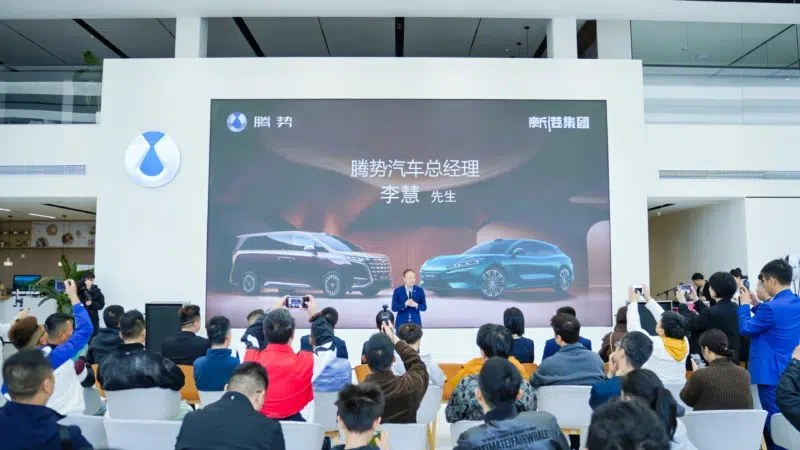 BYD‘s Denza previously announced a 2026 refresh for its D9 MPV and Z9 GT with the firm’s signature Flash Charging tech. Both models, which come with pure EV and plug-in hybrid (PHEV) powertrains, have now arrived at dealers across China. Deliveries for both models have commenced as well, with BYD publishing pictures of the first batch of “global deliveries” in China, showing cheerful buyers standing alongside their flash-charging capable D9s and Z9 GTs. The flash-charging-capable Z9 GT and D9, alongside their new owners. Source: Denza BYD and Denza are slowly rolling out the refreshed models worldwide, with the firm recently announcing a European launch for the Z9 GT, where it will retail for more than 101,000 euros (119,000 USD). Alongside BYD’s newly refreshed models, the D9 and Z9 GT, regardless of powertrain or trim level, will now be capable of BYD’s flash charging capabilities: 5 minutes from 10% to 70% 9 minutes from 10% to 97% Only 3 minutes slower at -30°C Denza D9 The D9 MPV retails between 359,800 and 469,800 yuan (52,800 and 69,000 USD). EV models get a 115 kWh LFP pack made in-house by BYD, enabling a CLTC range of 800 km on FWD trims, which get a 340 kW (456 hp) motor at the front. AWD trims get an additional 70 kW motor at the back, bringing the total motor power to 410 kW (550 hp), but CLTC range is lowered to 750 km. PHEV models come standard with AWD, combining a 115 kW (154 hp) 1.5-litre turbocharged engine up front with a 200 kW (268 hp) motor, and this works in tandem with a 45 kW (60 hp) motor out back. Thanks to BYD’s new ‘Heyuan’ hybrid platform, PHEV D9s now come with larger 66.5 kWh LFP batteries, good for 401 km of EV CLTC range. Denza Z9 GT The Z9 GT retails between 269,800 and 369,800 yuan (39,600 and 54,300 USD). EV models begin with base RWD trims, combining a single 370 kW (496 hp) rear motor with a 102.3 or 122.5 kWh LFP pack, good for 880 or 1036 km of CLTC range. Go for the range-topper EV, and the Z9 GT now gets a triple-motor AWD drivetrain built on BYD’s e3 platform. A single 230 kW (308 hp) front motor works in tandem with two rear motors rated at 620 kW (831 hp) combined, and the car puts out a total motor power of 850 kW (1140 hp). The bigger 122.5 kWh pack is present here, though the CLTC range is shortened to 820 km. PHEV Z9 GTs come standard with AWD and the e3 tri-motor platform, now working together with a 152 kW (204 hp) 2-litre turbocharged engine up front. Total output power is rated at 640 kW (858 hp), with a 63.8 kWh LFP pack achieving 401 km of CLTC EV range. More on Denza Denza’s domestic deliveries, April 2025 to March 2026. Source: China EV DataTracker According to China EV DataTracker, Denza delivered 6,762 units domestically in March 2026. Sales reached a brief peak at the end of 2025, coinciding with the gradual phase-out of NEV subsidies. Unfortunately, Denza’s domestic performance has cratered in 2026, with monthly figures failing to exceed 10,000 units. Denza has a strong overseas performance, and has introduced BYD’s Fang Cheng Bao (FCB) models under its own marque. Denza currently markets the FCB Bao 5 and Bao 8 SUVs as the D5 and D8, respectively. It remains to be seen if flash-charging can inject new life into the brand’s domestic lineup.
 -
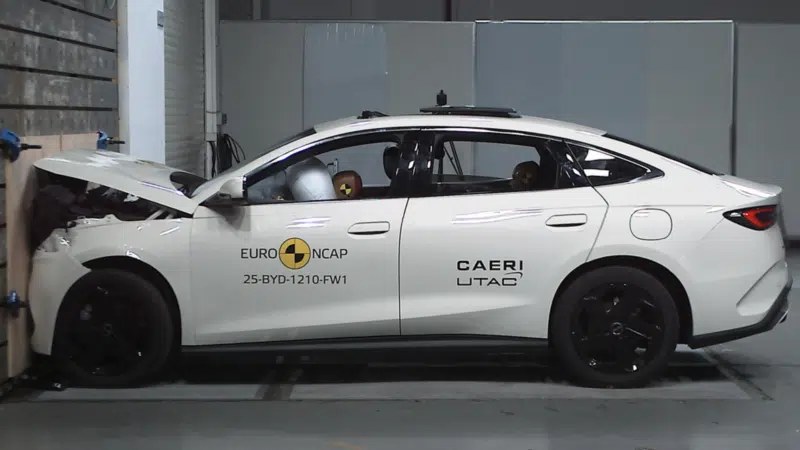 The BYD Seal 6 DM-i plug-in hybrid sedan and the China-made Tesla Model Y L scored five stars in the ANCAP crash and safety evaluation test. The Seal 6 DM-i became the leading performer in the latest batch of cars tested by the ANCAP, demonstrating good protection across most scenarios. The BYD Seal 6 DM-i got 92% in the Adult Occupant Protection category. It handled the full-width frontal collision, oblique pole collision, and side impact with a perfect score. The driver’s dummy experienced the impact load during the frontal offset collision, indicating adequate lower legs and chest protection. However, the passenger compartment remained stable. The Seal 6 DM-i scored 90% in the Child Occupant Protection segment. All critical body areas of 6 and 10-year-old child dummies were well-protected. However, ANCAP experts highlighted that one of the selected booster seats couldn’t be correctly installed in the centre rear position. The Vulnerable Road User Protection received 84%, as some areas around pillars and a windshield could hurt pedestrians. The Safety Assist category scored 84%. The Seal 6 DM-i performed well in most Autonomous Emergency Braking tests. However, it was more difficult for the BYD-branded sedan to activate the AEB function during the scenario of crossing the path of another vehicle (T-bone). The BYD Seal 6 DM-i sells in China under the Seal 06 name. It is a sizeable mass-market car with dimensions of 4840/1875/1495 mm. The wheelbase is 2,790 mm. It is powered by a 1.5-liter naturally aspirated engine for 70 kW (94 hp), mated with a 130 kW (174 hp) electric motor. The car can drive up to 55 km on EV range under WLTP conditions. The car is available for purchase at 34,990 AUD (25,370 USD). It’s worth noting that the Seal 6 DM-i was previously one of the sales drivers of BYD in China. However, its sales volume declined 39.7% Year-Over-Year in Q1 2026 to just 26,650 units due to the gradual phasing out of governmental subsidies, according to China EV DataTracker. Tesla Model Y L result The China-made Tesla Model Y L was awarded five stars based on the related five-seat Model Y. However, ANCAP experts undertake some additional testing and assessments. The three-row SUV assembled at the Tesla Shanghai plant scored 91% in the Adult Occupant Protection segment. Tesla Model Y L. Credit: Lixing Pingdao Difficulties were identified with child restraint installation in second row seating positions, where many restraints could not be correctly installed due to limitations with top tether routing. In the third row, rearward-facing and forward-facing convertible child restraints could not be easily installed using the ISOFix anchorages. As a result, the Model Y L got 84% in the Child Occupant Protection category. The Vulnerable Road User Protection segment scored 86% while the Safety Assist functions got 92%. The Model Y L is available for order in Australia within a price range of 74,900 – 89,400 AUD (54,275 – 69,145 USD). It is a large crossover with dimensions of 4976/1920/1668 mm. The wheelbase reaches 3,040 mm. The car adopts a dual-motor AWD for 340 kW (456 hp). It can run up to 751 km on a single 82 kWh battery charge under CLTC conditions.
 -
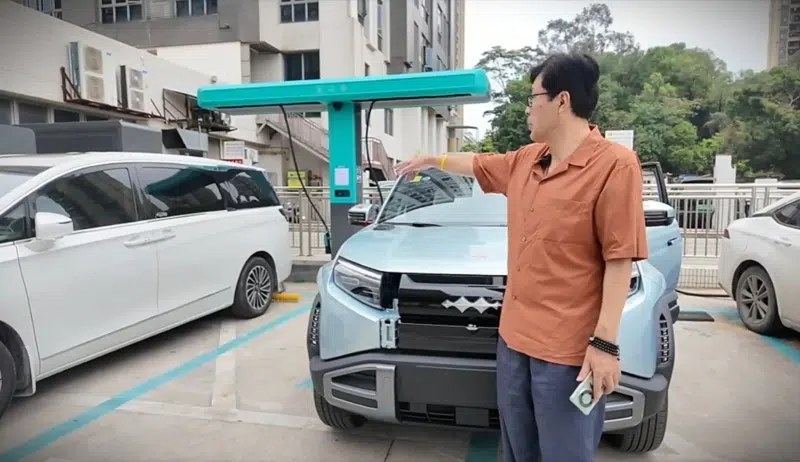 Independent testing of BYD’s new megawatt flash-charging system has sparked debate in China after a livestreamed charging session showed battery surface temperatures exceeding 76°C during ultra-high-rate charging. Chinese automotive blogger James Yu, known online as “Caishendao,” conducted a livestream test charging a FCB Tai 3 from 8% to 97% state of charge. According to published data, an externally mounted temperature sensor installed near the bottom centre of the battery pack, away from the liquid-cooling pipes, recorded a peak reading of 76.42°C. Vehicle diagnostic data reportedly showed a peak pole temperature of around 71°C. Following the online debate, Caishendao later issued additional clarifications stating the tested vehicle had been legally purchased from an official BYD 4S dealership and remained unregistered at the time of testing. The blogger also rejected online claims that the battery pack had been drilled or structurally modified, stating that five temperature sensors had been simply attached to the surface of the battery cells. According to the clarification, the liquid-cooling system remained operational throughout the test and charging would not proceed if the cooling system failed. Five sensors monitored temperatures during the BYD megawatt charging experiment in China. Different readings during charging The test used two measurement methods: vehicle-reported battery data via the car’s maintenance diagnostic interface and independently installed temperature sensors at multiple locations on the battery pack. According to the published measurements, the difference between the hottest and coolest sensor locations reached 6.5°C during charging. The report also noted that temperature readings from the external sensors began diverging more noticeably from the vehicle-reported temperatures after the battery exceeded roughly 70% SOC. Caishendao later clarified that no final conclusion had yet been reached regarding battery degradation or safety impacts, adding that additional cell-level testing is still planned. The blogger also requested that outside commentary not selectively quote the livestream or attribute interpretations directly to the testing team. The discussion quickly expanded across Chinese social media platforms, with some commentators questioning whether such temperatures could accelerate battery degradation or increase long-term safety risks during repeated ultra-fast charging cycles. The original commentary referenced China’s GB/T 44500-2024 standard appendix, which includes a recommended participation threshold of 65°C for lithium iron phosphate battery temperatures, although the standard has not yet entered mandatory implementation. An independent BYD charging test measured battery surface temperatures exceeding 76°C during the livestream. Thermal management discussion The article also cited several academic studies discussing thermal runaway mechanisms and SEI layer decomposition in lithium-ion batteries. According to the referenced papers, decomposition and reconstruction of the SEI layer are generally discussed within approximately the 80°C to 120°C range, depending on battery chemistry and test conditions. The commentary emphasised that the measured temperature reflected the battery surface rather than the cells’ internal core temperature. No independently verified internal cell temperature data from the tested vehicle was published. BYD has not publicly announced any change to its charging specifications following the online debate. Flash charging rollout The discussion comes shortly after BYD expanded promotion of its flash-charging infrastructure in China. Earlier this month, the company demonstrated its megawatt charging technology at a remote desert test site and said its domestic charging network had exceeded 5,715 stations. The charging system is part of BYD’s second-generation Blade Battery rollout. China EV Global Sales by Groups in April 2026. Credit: China EV DataTracker April sales context According to China EV DataTracker for April 2026, BYD remained the world’s largest EV group by sales with 314,100 vehicles delivered globally during the month. That figure was up 6.2% month-on-month but down 15.7% year-on-year. SAIC ranked second with 142,487 EV sales, followed by Geely Auto with 135,591 units.
 -
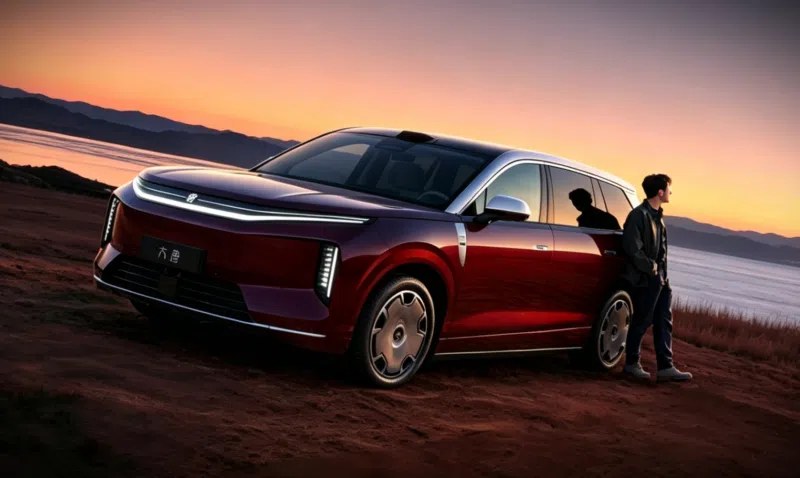 Chinese automaker BYD said the Great Tang has exceeded 100,000 pre-sale orders, less than two weeks after pre-sales opened at the 2026 Beijing Auto Show. The full-size electric SUV started pre-sales at 250,000 yuan (36,700 USD), with higher trims priced up to 320,000 yuan (47,000 USD). The order figure was disclosed on May 7 by Lu Tian, general manager of BYD Dynasty Network’s sales division. The executive said the vehicle had reached 100,000 pre-sale orders on the same day. Order growth accelerates The latest figure follows earlier reports surrounding the model’s launch momentum. We previously reported that the Great Tang logged more than 30,000 pre-sale orders within 24 hours of opening reservations. Dealer-channel data later indicated the figure had exceeded 60,000 units within 48 hours. The Great Tang EV is positioned as BYD Dynasty Network’s first D-segment flagship SUV. The model is scheduled to launch in the first half of 2026. BYD official image: Great Tang EV surges past 100k pre-orders. Full-size SUV specifications The SUV measures 5,263 mm long, 1,999 mm wide, and 1,790 mm tall, with a 3,130 mm wheelbase. BYD offers the vehicle with a 2+2+3 seating layout for seven passengers. Interior equipment includes a floating central infotainment display, front passenger entertainment screen, and a 17.3-inch roof-mounted second-row display. The front seats use a dual zero-gravity configuration. Powertrain options include single-motor rear-wheel-drive and dual-motor all-wheel-drive variants. BYD claims the AWD version accelerates from 0 to 100 km/h in 3.9 seconds. 1000V platform and charging The Great Tang EV adopts BYD’s second-generation Blade Battery and a full-domain 1000V high-voltage architecture. BYD claims the vehicle can achieve up to 950 km of CLTC electric driving range. Charging specifications include a 10C flash-charging battery, 1000A charging current, and peak charging capability of up to 1000 kW under compatible conditions. Other chassis technologies include DiSus-A dual-chamber air suspension, rear-wheel steering, road preview capability, and crab-walk mode. BYD Tang L and Tang sales in China til March 2026. Credit: China EV DataTracker Tang family sales context According to China EV DataTracker data (Tang L and Tang), the BYD Tang family recorded 1,785 domestic sales in March 2026, down 75.7% year-on-year. The Tang L added 945 domestic sales in the same month, up 91.7% from the previous month. Earlier in April 2025, the Tang L reached 5,229 monthly domestic sales shortly after launch. The Great Tang enters an increasingly competitive Chinese flagship SUV segment. Earlier this month, Chery revealed the Tiggo X flagship SUV with 476 hp and a claimed combined range of 1,500 km.
 -
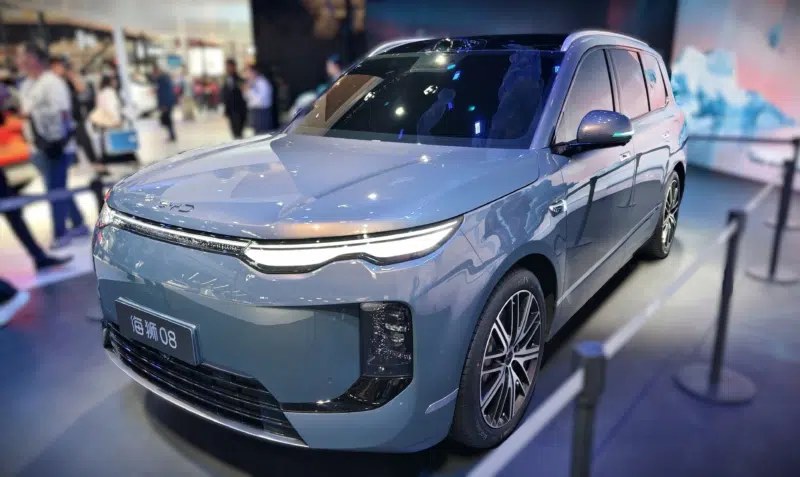 A series of SUVs exceeding 5.2 meters in length is scheduled to enter the Chinese market following the 2026 Beijing Auto Show, featuring multiple models from domestic automakers, including BYD, Chery, Nio, Xpeng, and Huawei-backed joint ventures, as well as other manufacturers. Narrowing cost range Full-size SUV pricing spans from entry-level large SUVs starting around 159,800 yuan (22,000 USD) under battery leasing models to flagship SUVs priced above 600,000 yuan (82,800 USD. Onvo L80 measures approximately 5,145 mm in length. Onvo L80 is a large five-seat SUV positioned below the three-row L90, with identical body dimensions of around 5,145 mm in length and a 3,110 mm wheelbase. Pre-sale pricing starts from 245,800 yuan (35,600 USD) with battery included, or 159,800 yuan (23,200 USD) under the Battery-as-a-Service (BaaS) model. The model removes the third row to prioritise cargo capacity, offering up to 2,600 L of rear storage, while maintaining full-size SUV proportions. Models in the upper range include the Li Auto L9 Livis (559,800 yuan / 77,300 USD), Nio ES9 (528,000–658,000 yuan / 72,900–90,800 USD), and BYD Great Tang (250,000–320,000 yuan / 34,500–44,200 USD pre-sale). Xpeng GX with steer-by-wire. Full-size SUV pipeline expansion The 2026 Beijing Auto Show SUV lineup includes multiple large SUVs across different price tiers and powertrains. Li Auto L9 Livis has a 340 km EV range, CLTC. The SGMW Huajing S is a large six-seat plug-in hybrid SUV developed with Huawei, measuring 5,235 mm in length and 3,105 mm in wheelbase. It uses Huawei’s Qiankun intelligent driving system and supports plug-in hybrid powertrain technology. Blind orders have opened. It’s reported to start at 160,000 yuan (22,100 USD). The Huajing S represents one of the lowest entry points into the large SUV category, while maintaining seating and size characteristics aligned with full-size SUV positioning. It will launch on May 8. NioES9’s presales price starts at 61,440 USD with the BaaS. Leapmotor D19 enters the full-size SUV segment with BEV and EREV variants. Pricing starts at around 219,800 yuan (32,200 USD), placing it among the lower-priced models in China’s 5.2-meter SUV category. It supports three-row seating and targets the same segment as other newly launched full-size SUVs. Leapmotor D19 enters the full-size SUV segment. The Haval Menglong Plus adds a body-on-frame-style SUV offering, with both five-seat and seven-seat configurations. It uses a Hi4 hybrid system and targets a price range below 220,000 yuan (30,300 USD pre-sale). BYD’s Sea Lion 08 enters the upper mid-range SUV segment with both BEV and PHEV variants, including up to 900 km CLTC range in its electric configuration and rear-wheel steering systems. Wuling Starlight L displayed at the Beijing Auto Show 2026. Wuling Starlight L is not a full-size SUV, but it is often referenced in discussions of China’s broader multi-row SUV expansion due to its pricing position and three-row layout. The model is a plug-in hybrid SUV measuring around 4.98 meters and featuring a 2+2+2 seating configuration. It is expected to start from roughly 100,000–130,000 yuan (about 13,800–17,900 USD), depending on configuration and market incentives, placing it significantly below the full-size SUV segment discussed in this report. Chery’s Exeed EX9 debuts at the Beijing Auto Show 2026. Large SUV flagship convergence Flagship models remain concentrated around 5.2 meters and above. The Li Auto L9 Livis delivers up to 420 km CLTC pure electric range and over 1,500 km combined range. The Xpeng GX reaches up to 1,585 km combined range, while the Aito M9 provides up to 1,474 km. The Nio ES9 measures 5,365 mm in length, while the BYD Great Tang reaches 5,263 mm. The Yijing X9 and Taishan X8 also exceed 5.2 meters and adopt multi-LiDAR configurations and air suspension systems. BYD Great Tang pre‑orders: dealer data points to 60,000 in 48h. Additional SUV launches Chery’s Tiggo X flagship SUV is equipped with 476 hp and a total range of 1,500 km. Exeed EX9 has been positioned against Zeekr 9X, which has reached 50,000 cumulative deliveries. Jetour’s T8, Shanhai L10, and TX concepts expand Chery Group’s three-row SUV lineup. Jetour T8 with Rover styling. Industry data BYD Great Tang recorded over 60,000 pre-orders within 48 hours, according to dealer channel data. Zeekr 9X has reached 50,000 cumulative deliveries, with distribution across multiple SUV price segments. Top-selling SUV in China in March 2026 Credit: China EV DataTracker Market data (March 2026 SUV sales) According to China EV DataTracker, the Tesla Model Y recorded 39,827 units. Li Auto i6 recorded 24,198 units. BYD Yuan UP recorded 21,538 units. Geely Atlas L, Toyota RAV4, and Volkswagen Tiguan L each recorded between 14,000 and 17,000 units. The dataset includes BEV, EREV, PHEV, and ICE models across the SUV category. BYD Sealion 08 shown at the Beijing Auto Show.
 -
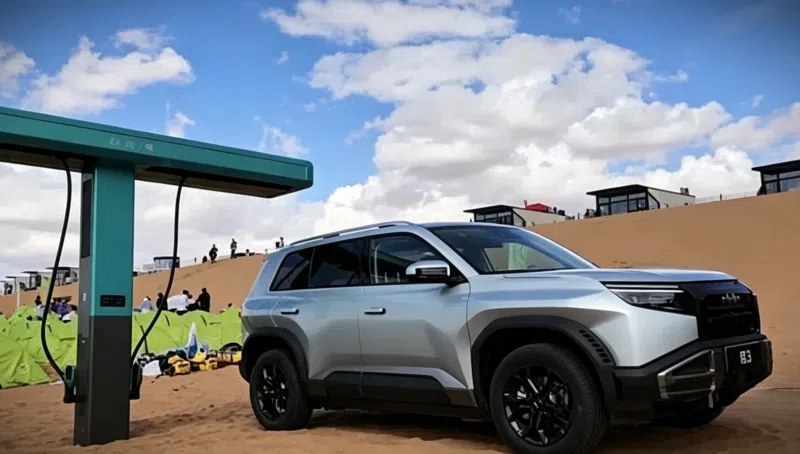 BYD has conducted a flash-charging demonstration in the Tengger Desert in Alxa, Inner Mongolia, showcasing a working fast-charging station at the remote “Sha15” endpoint. The company used an FCB Tai 3 vehicle on-site to demonstrate charging capability under desert conditions, with staff reporting a 5-minute rapid charge and a full charge in 9 minutes during the test, according to Autohome. The location is characterised by limited infrastructure and harsh environmental conditions, including exposure to sand and wind. The installation represents a deployment scenario outside typical urban or highway charging corridors. BYD flash charging station demonstrated in the remote Tengger Desert environment. Expanding network scale The desert test comes as BYD continues to expand its flash charging network. The company announced it had reached 5,000 flash charging stations in early April 2026, just 27 days after the program launch. During the May holiday period, the total network scale was confirmed at 5,715 stations nationwide. Separately, BYD has outlined plans to deploy 6,000 flash chargers overseas, alongside the expansion of its Denza brand in Europe with models such as the Z9 GT and D9. BYD expands charging infrastructure beyond cities into extreme environments. Charging capability context The demonstration figures of 5-minute and 9-minute charging align with BYD’s stated push toward ultra-fast charging infrastructure. The company has not detailed standardised testing conditions for the desert scenario, and performance may depend on vehicle compatibility, battery state, and environmental factors. Real-world validation in extreme environments, such as deserts, complements previous deployments focused on urban and intercity use cases. Charging results of the desert test. Industry push China’s EV sector continues to prioritise expanding charging infrastructure, with multiple automakers and operators investing in high-power charging networks. BYD’s rapid rollout pace and remote-location testing indicate parallel development in both scale and deployment flexibility. BYD Global EV Sales til April 2026 Credit: Cahine EV DataTracker Sales data context According to China EV DataTracker, BYD reported global EV sales of 314,100 units in April 2026, a 6.2% month-on-month increase but a 15.7% year-on-year decline. The company has recorded year-on-year declines for eight consecutive months, despite continued growth in overseas deliveries.
 -
 На завершившемся 3 мая Пекинском автосалоне были представлены яркие кроссоверы и внедорожники, и многие из них выйдут на рынок уже в ближайшее время. «Китайские автомобили» выяснили, когда ждать новинки в продаже, составили календарь премьер выставки, а заодно вспомнили главные их особенности и характеристики. Май 2026 годаBaojun Huajing SКроссовер Baojun Huajing S на автосалоне в Пекине / фото Autohome Новый флагманский кроссовер от марки, которая напрямую связана со знаменитым Wuling. Он построен на платформе Tianyu Architecture L и получил улучшенные системы помощи водителю Huawei Qiankun Smart Driving ADS Pro. Кроссовер Baojun Huajing S на автосалоне в Пекине / фото Autohome Силовая установка гибридная и называется Lingyi Power 3.0. В ее основе 1,5-литровый турбомотор мощностью 143 л.с. и электромотор, с которым суммарная мощность достигает 525 л.с., а максимальный суммарный крутящий момент — 620 Нм. На выбор предоставляются батареи емкостью 31 кВт·ч и 41,9 кВт·ч. Запас хода на чистом электричестве — 130 км, 160 км и 175 км. В продаже новинка появится уже 8 мая. Li L9 LivisLi Auto L9 предсавили на автосалоне в Пекине / фото из соцсети Нашумевший в СМИ Li L9 Livis должен появиться на рынке КНР 15 мая. Ранее компанией называлась цена в 559 800 юаней (примерно 6,1 млн рублей по актуальному курсу). Внешне автомобиль поменялся не так сильно, чтобы можно было говорить о каких-то радикальных отличиях. А вот в технике и ПО появилось много интересного. Например, два новых 5-нанометровых чипа Mach 100 собственной разработки, которые отвечают за работу всех систем автомобиля и позволяют буквально за считанные доли секунд просчитывать множество операций. Кроссовер Li Auto L9 Livis / фото Андрея Полухина Благодаря новой 800-вольтовой электронной архитектуре компании удалось существенно улучшить ходовую часть. Автомобиль даже способен при необходимости перемещаться на трех колесах. Силовая установка последовательно-гибридная. В ее основе 1,5-литровый турбомотор мощностью 156 л.с. Отдача электродвигателей пока не раскрывается. Батарея емкостью 72,7 кВт·ч позволяет проезжать 420 км на чистом электричестве. Суммарно машина способна преодолевать 1500 км. Nio ES9Кроссовер Nio ES9 на автосалоне в Пекине Дебют флагманского Nio ES9 запланирован на май этого года, но пока без конкретной даты. Этот автомобиль будет продаваться по цене от 528 до 658 тысяч юаней (5,8–7,2 млн рублей). ES9 станет самым большим кроссовером в модельном ряду Nio и предложит множество передовых электронных помощников и технологий. А главной особенностью станет 900-вольтовая электронная архитектура. За счет лидаров и ИИ она сможет мгновенно просчитывать дорогу, давая сигналы подвеске, насколько «поджимать» колеса. Тем самым вседорожник идеально отрабатывает все неровности, фактически не передавая никаких ударов на кузов. Салон кроссовера Nio ES9 Силовая установка полностью электрическая. Она состоит из двух электромоторов, суммарная отдача которых достигает 707 л.с. Запас хода на чистом электричестве составит 620 км. XPeng GXКроссовер Xpeng GX на автосалоне в Пекине XPeng тоже присоединяется к гонке в сегменте премиальных кроссоверов на «новой энергии», тренд на которую был задан Li Auto. Новый GX выйдет в мае, однако точной даты тоже еще нет. Предпродажная цена составляет 399 800 юаней (4,4 млн рублей). За эти деньги производитель предлагает огромный кроссовер в новой для бренда стилистике со множеством интеллектуальных помощников и большим функционалом. На выбор предлагается чисто электрическая и последовательно-гибридная версия. В первом случае отдача двух электромоторов достигает 585 л.с., а запас хода – 750 км на одной зарядке. Кроссовер Xpeng GX / фото из базы минпрома КНР Гибридное исполнение имеет под капотом 1,5-литровый турбомотор, а за движение отвечают два электродвигателя мощностью 503 л.с. На чистом электричестве дальнобойность достигает 430 км, а в гибридном – все 1585 км. Aito M9Новый кроссовер Aito M9 / фото Андрея Полухина «Абсолютно новый» Aito M9 внешне новым абсолютно не назовешь, ведь он отличается от старого только в деталях. Дата выхода на рынок – май этого года. Предпродажные цены начинаются с 499 800 юаней (5,5 млн рублей). Основной упор в этом обновлении делался на улучшенном оборудовании и опционале, системах и подсистемах, а также технических характеристиках. Новый кроссовер Aito M9 / фото Андрея Полухина На выбор предоставляется электрическая или последовательно-гибридная силовая установка. В первом случае, если ориентироваться на данные от минпрома КНР, отдача двух электромоторов составляет 676 л.с. И это больше, чем у прежнего Aito M9 EV, мощность которого составляет 530 л.с. Запас хода – более 650 км. Салон нового кроссовера Aito M9 / фото Андрея Полухина Последовательно-гибридный Aito M9 новой генерации имеет такие же электромоторы, как и у электрической версии, а под капотом дополнительно расположен 1,5-литровый турбомотор HG15T мощностью 161 л.с. Дальнобойность у такого кроссовера достигнет 1474 км в гибридном режиме. Haval Raptor Plus / V7 PlusКроссовер Haval V7 Plus на выставке в Пекине 2026 / фото Андрея Полухина Haval продолжает выводить «квадратные» кроссоверы и внедорожники, которые, очевидно, могли бы продаваться в России в дилерских центрах Haval Pro. Данная новинка на рынке КНР будет доступна уже в мае в трех комплектациях по цене от 189 800 до 215 800 юаней (2–2,4 млн рублей). Салон кроссовера Haval V7 Plus / фото Андрея Полухина Raptor Plus (на других рынках H7 Plus или V7 Plus) представляет собой удлиненную версию обычного Raptor с лидаром на крыше и оригинальной решеткой радиатора. Силовая установка гибридная, она базируется на 1,5-литровом турбомоторе и двух электродвигателях. Суммарная отдача – 449 л.с. Запас хода – более 1000 км. Май-июнь 2026 годаBYD Yuan PlusЭлектрический кроссовер BYD Yuan Plus третьего поколения / фото из соцсети Новое поколение BYD Yuan Plus должно появиться на рынке в первой половине 2026 года. Это не просто рестайлинг, а полноценная модернизация. От предыдущей генерации кроссовер отличается бамперами спереди и сзади, иным рисунком монофонаря, а также измененным стоп-фонарем на спойлере, который установлен на крышке багажника. Естественно улучшилось внутреннее убранство, а также оснащение. Салон кроссовера BYD Yuan Plus / фото из соцсети Самое главное изменение произошло в технической части. Мощность единственного электромотора поднялась с 204 до 322 л.с. Максимальная скорость обновленной машины – 180 км/ч. Емкость батареи составляет 57,5 кВт·ч. Это обеспечивает 630 км запаса хода. При этом модель поддерживает фирменную систему быстрой зарядки, благодаря которой запас тягового аккумулятора можно пополнить с 10 до 97 процентов всего за 9 минут. Voyah Taishan X8Кроссовер Voyah Taishan X8 на церемонии старта предзаказов / фото из соцсети Новый Voyah Taishan X8 появится у дилеров в первой половине 2026 года. Цены уже известны — 302 900 – 369 900 юаней (около 3,3–4 млн рублей). Электрический X8 стоит 349 900 – 389 900 юаней (около 3,8–4,3 млн рублей). Внешне автомобиль почти не отличается от флагманского Taishan. Разницу можно заметить разве что в решетке радиатора, оригинальных колесных дисках и отсутствии некоторых хромированных элементов. Ну и да, он несколько короче – 5200 мм против 5230 мм. Салон кроссовера Voyah Taishan X8 В состав силовой установки гибридного Voyah Taishan X8 входит бензиновый турбомотор 1.5 мощностью 150 л.с. и два электродвигателя. Суммарно это 646 л.с. и 910 Нм или 666 л.с. и 915 Нм в более дорогой комплектации. «Бюджетные» исполнения X8 имеют батарею на 44,5 кВт·ч, что позволяет проезжать 245 км на чистом электричестве или 1321 км в гибридном режиме. А если доплатить, то батарея емкостью 65 кВт·ч позволит проехать 370 км на электричестве и 1506 км, задействуя ДВС. Voyah Taishan X8 в электрическом исполнении имеет два электромотора на 646 л.с. и 765 Нм. Здесь предлагаются батареи емкостью 98 или 120 кВт·ч. Запас хода – 603 или 727 км соответственно. Wey V9XКроссовер Wey V9X на автосалоне в Пекине / фото Андрея Полухина Первенец абсолютно новой платформы GWM One должен появиться в продаже в первой половине 2026 года. Предварительные цены Wey V9X варьируются от 371 800 до 411 800 (4–4,5 млн рублей). Главной особенностью платформы являются не передовые системы безопасности или помощи водителю, не богатый функционал и не какой-то дерзкий дизайн кузова (все это и так есть), а возможность интегрирования практически любой силовой установки. Вот и для Wey V9X заявлены несколько видов гибридной установки, а также электрическая версия. Салон кроссовера Wey V9X / фото Андрея Полухина Однако пока что известно только о плагин-гибридной версии Hi4. У нее 1,5-литровый турбомотор и два электродвигателя. Совокупная отдача – 449 л.с. и 660 Нм крутящего момента. До первых 100 км/ч он разгоняется за 5,8 сек. На электричестве возможно проехать 470 км, а в гибридном режиме – 1700 км. BYD Sealion 08Кроссовер BYD Sealion 08 на пекинском автосалоне / фото из соцсети Дебют флагманского кроссовера BYD из линейки Ocean намечен на первую половину 2026 года. При этом он заметно меньше Datang (о нем чуть ниже) – 5,1 против 5,3 метров в длину. По оснащению все будет примерно на уровне Datang, но цены пока не названы. Кроссовер BYD Sealion 08 / фото из соцсети В движение Sealion 08 приводит схожая с BYD Datang электрическая силовая установка. Она оснащается парой мощных электродвигателей с общей отдачей 653 л.с. Этого хватает для разгона до 100 км/ч в пределах 5 секунд. А благодаря батарее Blade нового поколения запас хода достигает 900 км. Третий квартал 2026 годаEpicland X9Кроссовер Epicland X9 / фото Autohome Epicland X9 – новое совместное творение компании Dongfeng и IT-гиганта Huawei. Его рыночный дебют состоится в третьем квартале 2026 года. Цен пока нет. Если покопаться в родословной этого автомобиля, то выяснится, что это не совсем новинка. Очень уж кузов напоминает Aito M9 своим силуэтом и отдельными деталями. У них даже схожая колесная база – 3120 и 3110 мм. Впрочем, габариты все же несколько различаются, как и общий дизайн. Кроссовер Epicland X9 / фото Autohome Построен Aito M9 на платформе Huawei Tuling, не исключено, что и Epicland X9 имеет ту же «тележку». Кстати, о технических характеристиках информации пока что нет. BYD DatangКроссовер BYD Datang на Пекинском автосалоне / фото из соцсети Уже много раз демонстрировавшийся новый флагман бренда BYD приехал и на Пекинский автосалон, где назвали примерные сроки выхода на рынок – в течение пяти месяцев. При этом уже известно, что будет доступно три комплектации по цене от 250 до 320 тысяч юаней (2,7–3,5 млн рублей). За эти деньги можно получить огромный кроссовер длиной 5,3 метра, который предлагает богатое оснащение и передовые технологии. На выбор предложат электрическую и гибридную версию. Электромобиль доступен в задне- и полноприводном вариантах. Отдача силовой установки варьируется от 408 до 796 л.с. В последнем случае разгон до первой «сотни» занимает всего 3,9 сек. Запас хода – 800–950 км на одной зарядке. «Старший» аккумулятор предлагает емкость 130,5 кВт·ч. Кроссовер BYD Datang / фото из соцсети Под капотом у гибрида расположен 1,5-литровый турбомотор мощностью 156 л.с. С ним будут сочетаться один или два электродвигателя. Мощность – 272 и 544 л.с. Максимальная скорость – 200 км/ч. *** В ближайшее время китайский рынок буквально «разорвет» большим количеством однотипных кроссоверов с электрифицированными силовыми установками. И будет весьма любопытно последить за тем, какие из новинок Пекина окажутся успешнее. Андрей ТРУБИН (@chinamashina)
 -
OverDrive - Advanced Sentry Mode for BYD Vehicles Free, open-source dashcam and sentry mode app built specifically for BYD vehicles with DiLink v3. All data stays on your device — no cloud, no accounts, no subscriptions. Quick Start (Use Pre-built APK) Download the latest APK from GitHub Releases and install it directly on your BYD head unit. 1. PrerequisitesEnsure Wireless ADB is enabled on your device before launching the app. 2. Initial ConfigurationAuthorize ADB: On first launch, accept the ADB authentication prompt on your device screen. Background Persistence: In Settings, ensure the "Disable Autostart" toggle is unchecked. This is critical for reliable background operation. 3. Network & Tunnel SetupOption A: Dedicated Wi-Fi Hotspot (Recommended) Keep the Sing-box Proxy disabled. Directly enable your preferred tunnel (Zrok or Cloudflared). Option B: Public / BYD SIM Toggle the "Public" switch at the top right of the dashboard. Go to Daemon View and verify the Sing-box Proxy Daemon is running. Once verified, enable your preferred tunnel (Zrok or Cloudflared). Telegram Notifications SetupMessage @BotFather on Telegram → /newbot → follow prompts → get your bot token Message @userinfobot → /start → copy your Chat ID In OverDrive: Settings → Notifications → enter bot token & chat ID Remote Access Three options for viewing your car's cameras remotely: Local Network (LAN)Access at http://<car-ip>:8080 when on the same WiFi. Zero setup, fastest streaming. Cloudflare TunnelAccess from anywhere via https://<random>.trycloudflare.com. No port forwarding, HTTPS by default. Video streaming can be slow due to Cloudflare limitations. Zrok Tunnel (Recommended)Free, open-source tunneling with no bandwidth limits at https://<your-share>.share.zrok.io. Best for video streaming. Quick Zrok setup: Sign up at zrok.io Get your invite token from email Enter token in OverDrive settings Done — tunnel URL is auto-generated Github: https://github.com/yash-srivastava/Overdrive-release APK's: Version Link v15.7 https://github.com/yash-srivastava/Overdrive-release/releases/download/alpha/overdrive-release-alpha-v15.7.apk
-
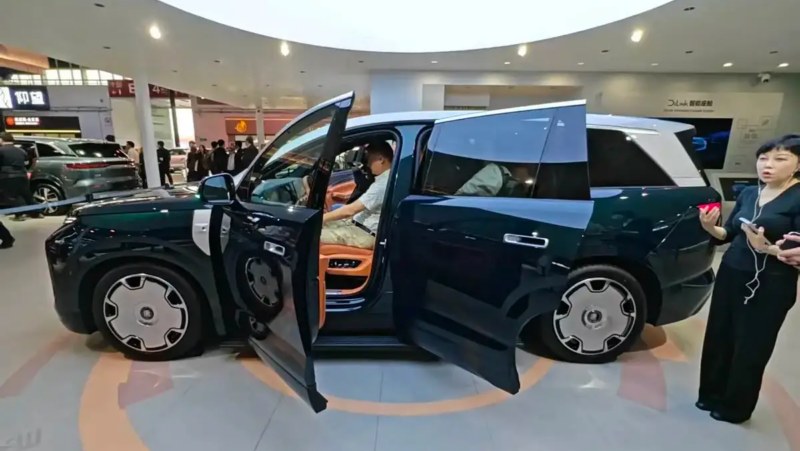 On April 24, BYD opened pre-sales of its Great Tang EV at the Beijing Auto Show. The Great Tang EV marks the first D-class flagship SUV under the Dynasty Network series, featuring the second-generation blade battery and a 1000V high-voltage architecture. The model offers both single-motor and dual-motor all-wheel-drive configurations, with pre-sale prices ranging from 250,000 to 320,000 yuan (36,200-46,400 USD). Market launch is scheduled for the first half of this year. Design and dimensions The Great Tang EV adopts BYD’s latest family design language, featuring ultra-long horizontal front daytime running lights paired with vertically positioned headlights. The hood incorporates two raised lines that enhance the vehicle’s muscular stance. The SUV measures 5263(5302)mm in length, 1999mm in width, and 1790(1800)mm in height, with a wheelbase of 3130mm, positioning it in the large SUV segment. Rear of the Great Tang. Interior and technology The cabin features a floating centre control screen, a front passenger entertainment display, and a 17.3-inch ceiling-mounted screen for second-row passengers. The 2+2+3 seven-seat layout includes dual zero-gravity front seats and independent third-row seats with armrests. Technological highlights include a 3nm cockpit chip, a 7.1.4-channel Devialet audio system with 27 speakers, and a “Sky Mirror” hollow laminated panoramic roof. The interior design incorporates wood grain textures inspired by traditional Chinese architecture. The interior of the Great Tang. The official interior photos are here. Powertrain and performance The Great Tang EV offers a maximum range of 950km with 0-100km/h acceleration in 3.9 seconds for the all-wheel-drive version. It supports BYD’s flash charging technology, featuring a 10C charging rate and 1000A charging current. Additional features include the DiSus-A dual-chamber air suspension with road preview capability, crab walk mode, and rear-wheel steering system. Besides the BEV version, the Great Tang DM-i variant features a single motor with a maximum power of 300kW (402hp), paired with a 1.5T engine producing 115kW. The DM-p model utilises front and rear dual motors, each delivering 200kW (268hp) for a combined output of 400kW (536hp), achieving 0-100km/h acceleration in 4.3 seconds. The official photo of the Great Tang. BYD Tang EV’s sales performance. BYD Tang’s line-up also includes Tang and Tang L, Tang EV’s sales peaked at 7,103 units in June last year, but since the start of 2026, its sales haven’t been doing so well.