




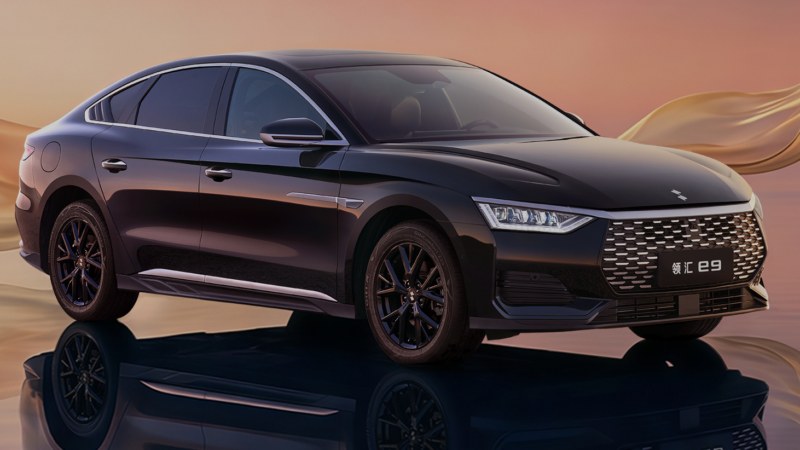

Linghui, the ride-hailing-focused brand under BYD, officially launched its C-class sedan, the Linghui e9. The new vehicle is available in three variants, priced from 150,800 to 169,800 yuan (22,200 to 25,000 USD).
This brand was launched by BYD this year, and the official images of this model were released in February.
The pricing for the lineup is as follows:
- 535km Luxury Edition (Standard Charge): 150,800 yuan (22,200 USD)
- 605km Flash Charge Luxury Edition: 159,800 yuan (23,500 USD)
- 605km Flash Charge Flagship Edition: 169,800 yuan (25,000 USD)
The Linghui e9 is primarily positioned for the ride-hailing, taxi, and government vehicle sectors, featuring BYD’s second-generation Blade Battery and Flash Charge technology.
Exterior and dimensions
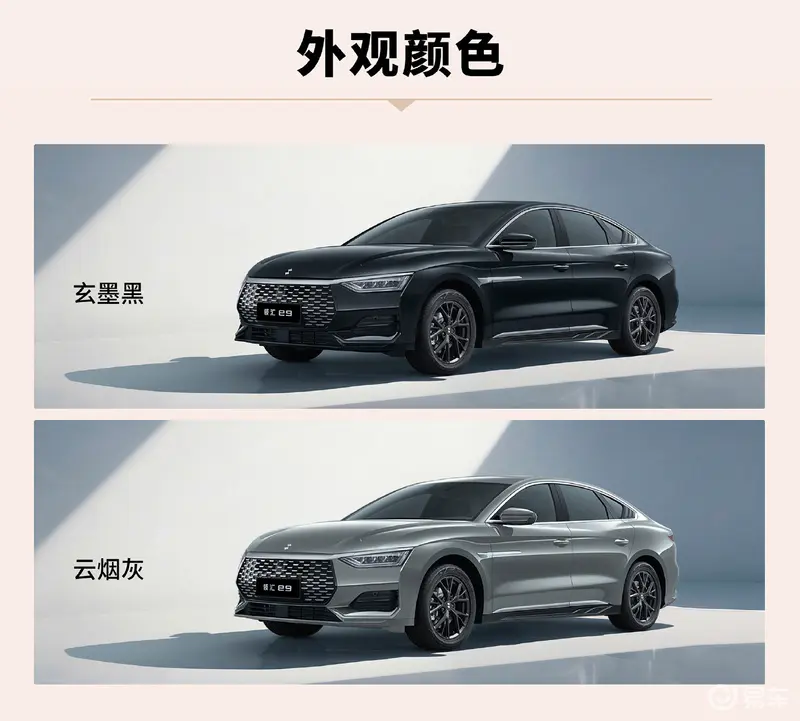
The Linghui e9 adopts a “Glistening Galaxy” business-oriented front fascia, complemented by a “Crystal Star” matrix grille. It is equipped with “Ice Soul” flowing LED headlights that feature dynamic lighting effects upon unlocking. The vehicle is offered in two colour schemes: Ink Black and Cloud Smoke Grey.
The dimensions of the sedan are:
- Length: 4995mm
- Width: 1910mm
- Height: 1495mm
- Wheelbase: 2920mm
Intelligent driving and technology
The vehicle is equipped with the “God’s Eye” driving assistance system, utilising 26 high-precision sensors, including millimetre-wave radars, multi-view HD cameras, and ultrasonic radars. Under High-speed Navigation on Autopilot (HNOA) scenarios, the system can perform:
- Automatic entry and exit of ramps.
- Autonomous overtaking and lane changes.
- Navigation through large-curvature curves.
- Lane keeping and obstacle avoidance.
The Linghui e9 supports parking assistance across nine major scenarios, including vertical, horizontal, and diagonal spaces, alongside remote and valet parking functions.
Interior
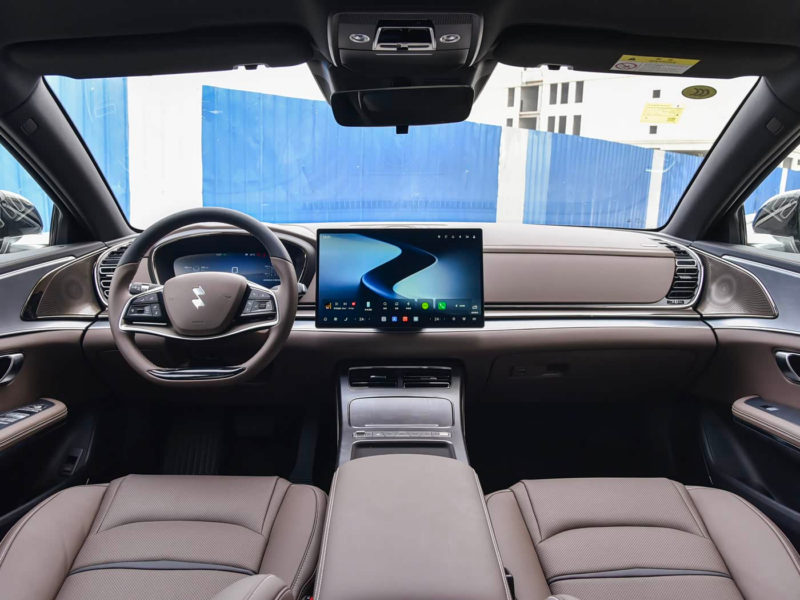
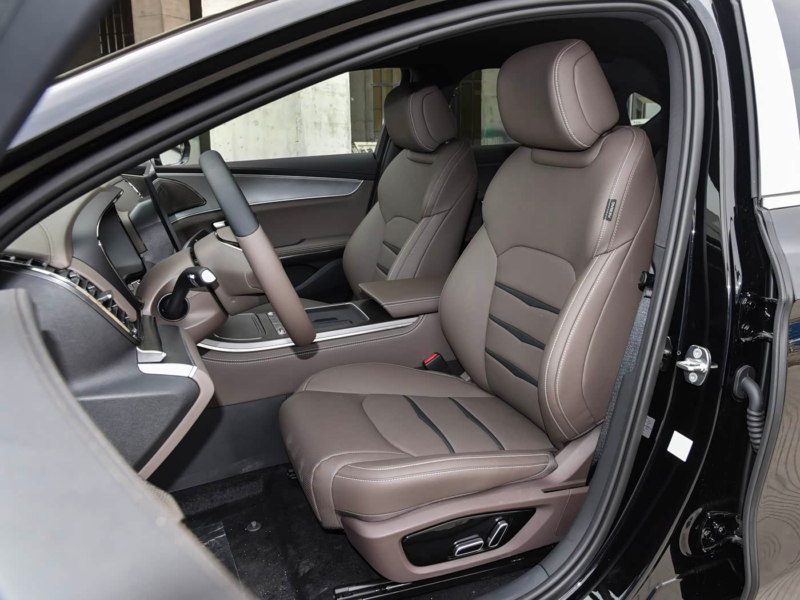
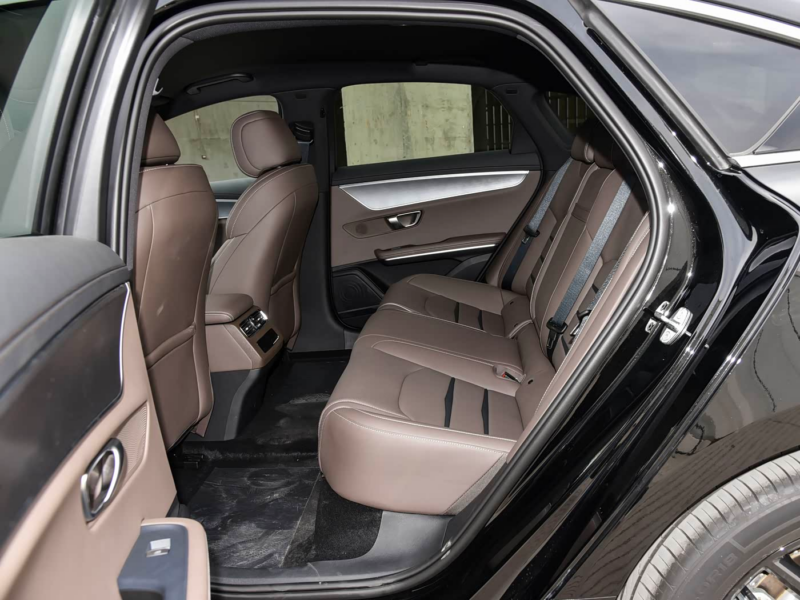
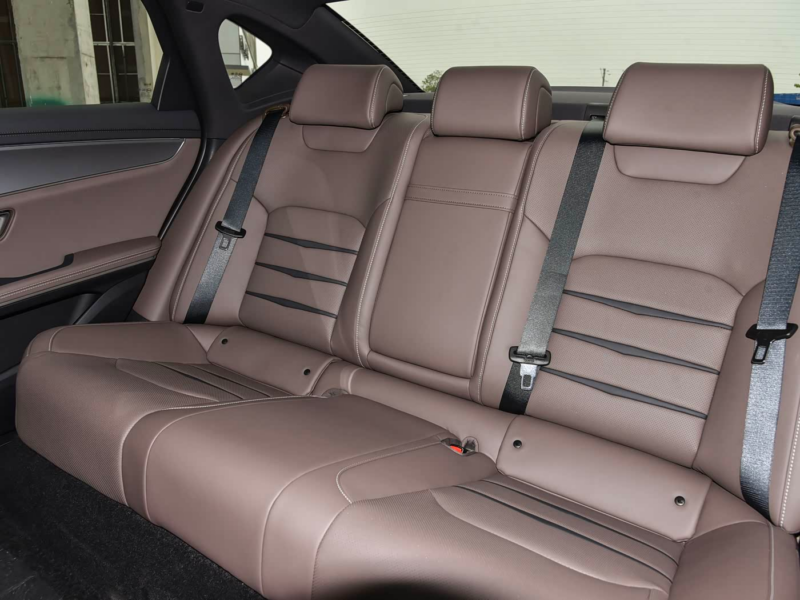
The interior features an exclusive Amber Brown colour palette with a leather-wrapped dashboard and a column-mounted electronic shifter. For passenger comfort and convenience, the car includes:
- Rear multi-function touchscreen for independent climate control.
- Second-row privacy glass and a panoramic sunroof.
- 50W wireless fast charging and NFC mobile key support.
- A trunk capacity of 485L.
Performance and battery
The Linghui e9 is powered by a front-mounted single motor with two output configurations:
- Standard: 135 kW (181 hp) with 250 Nm of torque.
- High Output: 150 kW (201 hp) with 305 Nm of torque.
The battery comes in 60.5 kWh and 64.3 kWh capacities, providing CLTC pure electric ranges of 535 km and 605 km, respectively. The vehicle also supports a 6kW (8hp) Vehicle-to-Load (V2L) discharge function.
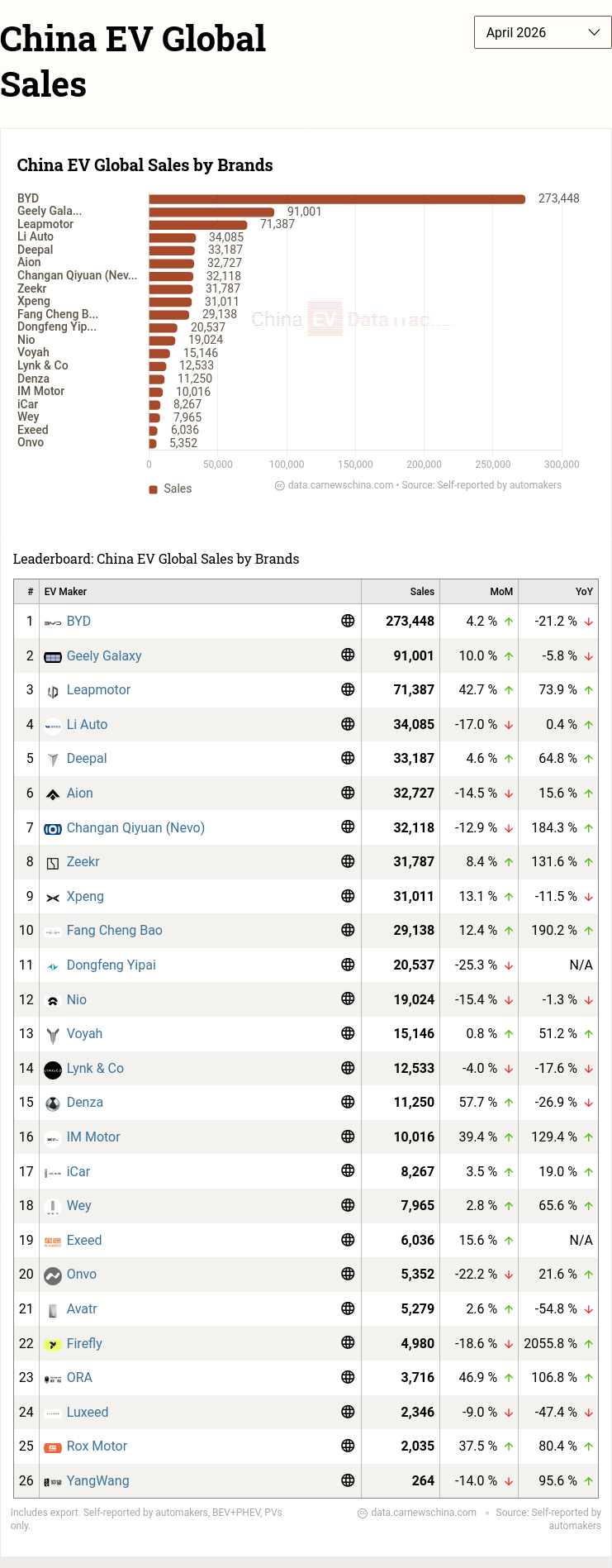
The BYD brand (including the Dynasty and Ocean series) remains the best-selling new energy brand in China. In April, it sold 273,448 units, and despite a 21.2% month-on-month decrease, it still holds a massive lead over the second-placed brand, Geely Galaxy, which sold 91,001 units.
At present, BYD has not yet released separate sales figures for the Linghui brand in the same way it does for Denza, Fang Cheng Bao and Yangwang.
Create an account or sign in to leave a review
There are no reviews to display.