




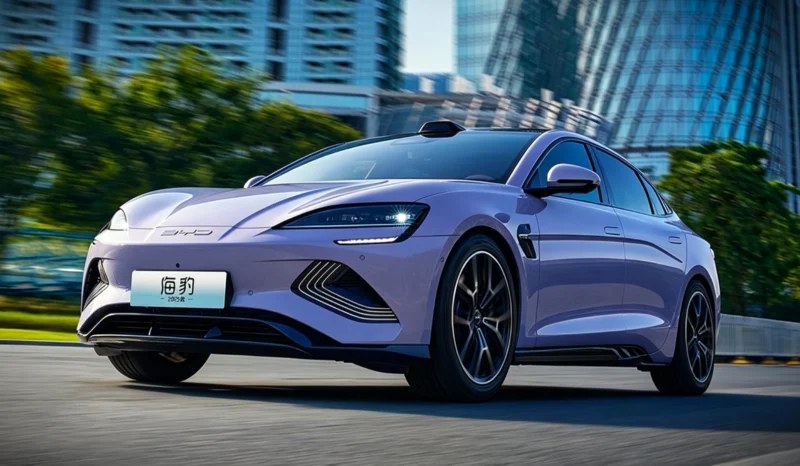

BYD Seal electric sedans have begun undergoing testing in the processing framework following a joint vehicle inspection. A report from IT Home confirmed that BYD Chairman Wang Chuanfu experienced upcoming driving assistance software alongside Horizon Robotics chief executive Yu Kai. This public vehicle review establishes the current operational baseline for the high-volume model family.
The engineering assessment focused on deploying the unreleased Horizon Super Drive 2.0 system within the vehicle architecture. Technicians are configuring localised communication pathways to link camera inputs directly to central domain controller modules. This hardware integration targets immediate performance optimisations prior to the introduction of next-generation internal computing nodes.
Silicon deployment timelines
The automaker previously introduced its proprietary four-nanometer Xuanji A3 processing node, featuring a single-platform performance of 700 TOPS. Initial market forecasts anticipated that this internal component would immediately displace third-party supplier procurement. This structural adjustment led to a 7% contraction in the equity market for external hardware providers.
A corporate tracking disclosure from Late Auto indicates that verification timelines for the internal hardware require an extended deployment phase. Production integration of the Xuanji A3 architecture is scheduled to debut on upscale Denza vehicles in 2027. This timeline preserves an operational window for independent silicon providers to support high-volume production lines.


Production cost controls
Utilising external cabin-driving convergence processors reduces passenger vehicle manufacturing expenditures by 1,500 yuan (220.65 USD) to 4,000 yuan (588.40 USD) per vehicle. This optimisation directly supports the smart driving system infrastructure scaling across entry-level model classes. Minimising component production expenses allows the manufacturer to protect vehicle margins during competitive pricing cycles.
The supplier previously delivered 2.5 million processors to support the broader BYD advanced driving assistance technology initiative. High-volume vehicle assembly requires these standardised external chips to secure component continuity without creating industrial bottlenecks. This established delivery footprint shields high-volume model series from immediate architectural modifications.
Market share metrics
Domestic tracking data across April indicates that passenger vehicle domain controller installations reached a total volume of 600,000 sets. Nvidia maintained its frontrunner market classification by securing a 50.9% share, delivering over 300,000 computing packages. Horizon Robotics expanded its segment presence to 13.6% by supplying over 80,000 assemblies.
The upcoming rollout of updated software platforms aims to allocate additional models before the premium Denza silicon transition. Localised chip installation rankings are projected to adjust as domestic processing architectures achieve greater manufacturing scale. Consequently, the BYD Seal continues to leverage external hardware partnerships to sustain cost advantages across the product catalogue.
Create an account or sign in to leave a review
There are no reviews to display.